


How to Create an Account
Creating an EasyChair account is relatively straightforward. However, account creation may fail for various reasons. This article describes common problems and their solutions.
Step 1
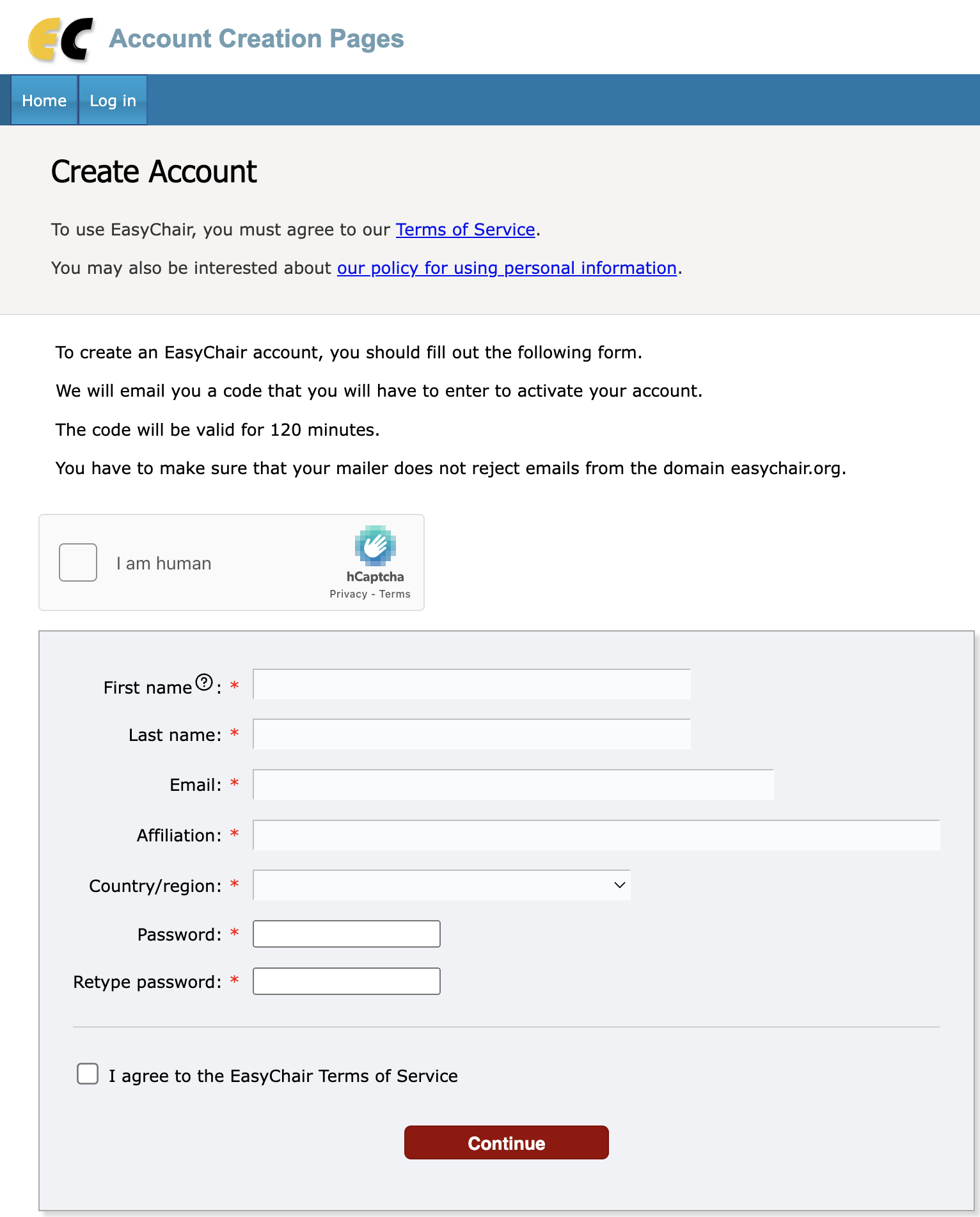
To create an account, click here to access the account creation page and follow the procedure described on this page. Every login point to EasyChair contains links to the account creation page. You should end up in a page looking like this:
Step 2: Email Address Verification
Each EasyChair account has one or more email addresses associated with it, one of them is called your main email address. The email you enter in the form will be your main email address. This email address should accept emails from our domain easychair.org. The most common problem in creating an account is that the email address you specify cannot receive email from us, because of your mail server configuration, spam filters or other problems, described below.
Verification Email
After you fill out the form, EasyChair will send a verification email to the email address you have indicated in the form
The verification email will contain instructions:
We received a request to create an EasyChair account
for you. To create an EasyChair account, please use
this link:
https://easychair.org/account/create.cgi?code=nyBEtP0xKy8T7jZRbTspAV
In most cases you receive this email, follow the link, see the form like this,
and complete your account creation.
However, you can also end up having one of the following three problems:
- You do not receive the verification email
- Instead of the verification email you receive an email that you already have an account
- You follow the verification link but it does not work
They are discussed in details below.
Problem: You Do not Receive Emails from EasyChair
Normally, EasyChair send you the verification email immediately. However, the fact that the email was sent immediately does not imply that you receive it immediately or you receive it at all. There may be several reasons for it, all of them are beyond our control. Some of the common reasons for not receiving an email are the following:
- Spam filters. The verification email was classified as spam by your mail server. If you have spam boxes that you can access, you should check whether it ended up in one of these boxes.
- Misspelled email address. Misspelling the email address is a common error.
- Mail box full or over quota. Your mail box can be full or over quota.
- Blocking or blacklisting. You mail server or system administrators may decide to block or blacklist the EasyChair mail server. While this is very rare, this happens. Some system administrators even use external services for blacklisting. If we discover that we are blacklisted, we sometimes try to contact your system administrators. Note that we never deal with services that ask to pay for whitelisting.
- Misconfigured mail server. Your mail server can be misconfigured and not accept emails at all.
- Forwarding emails. Quite often, users specify an email address which forwards all emails so that it eventually gets lost.
- Protection from robots. Some users use the following protection from automatic emails. When they receive an email from an unknown address, instead of delivering this email they send back an email asking to verify that the email was sent by a human. This is becoming increasingly rare, but it is still used. If you use such a protection, you will never receive verification emails.
In general, when you do not receive the verification email, you can do the following:
- Check your spam folders
- Ask your system administrators to check why you did not receive the email
- Contact the conference organizers. If they have an EasyChair license including technical support and check with us, we should be able to trace what happened to the email on our side, whether it was accepted by your mail server, or whether we receive a failure notification from your server.
- If nothing else works, use another email address that you own.
Problem: You Receive an Email from EasyChair Saying that You Already Have an Account
It is not uncommon that a user creates an account and then forgets that he or she had one. If this happens to you, your verification email will say that you already have an account. If you cannot find the user name and/or password for this account, you should click here to reset your password. EasyChair will first verify your email and then send you your new password. We cannot send you the old one because we do not store passwords as open text.
Problem: Verification Link Does not Work
In most cases this means that the link you followed in incorrect. You can check the following:
You copied the link from the verification email correctly. You should follow this link, if your mail program shows you the link, or copy and paste it in your browser. Do not try to retype the link, since it is easy to make an error while typing.