


Email Templates Plugin
Conferences can create and manage customized emails using the Email Templates plugin.
Chairs can define various types of email templates — for example, messages sent to authors after a submission or general-purpose templates.
Templates created by chairs are available to all users who have permission to send emails within the EasyChair Conference Administration.
Accessing the Email Templates Page
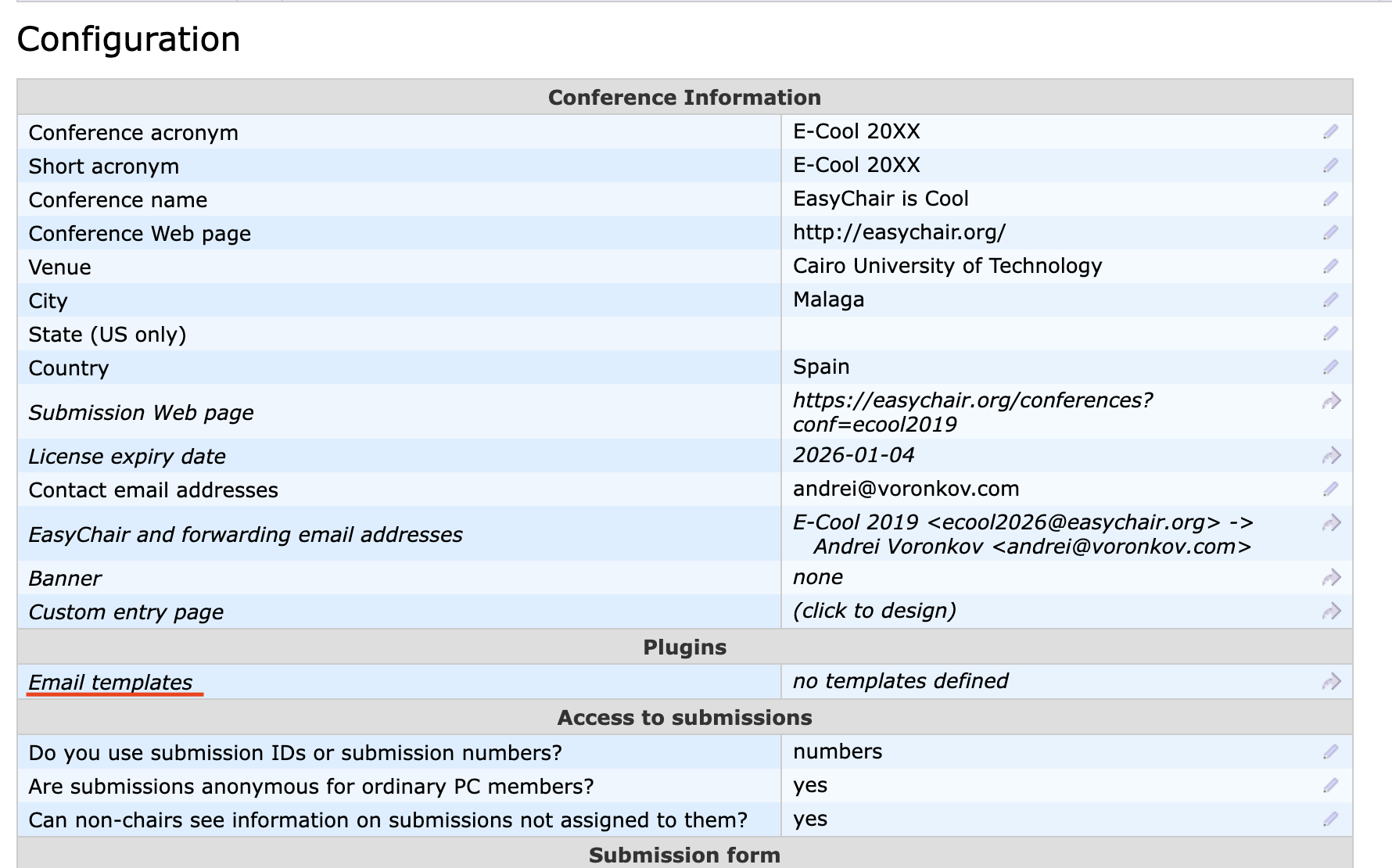
Once the plugin is enabled, chairs can access the templates page by following these steps:
- Go to the Administration → Configure.
- In the Plugins section, select Email Templates..
Creating and Managing Templates
The templates page displays all existing templates.
To create a new one, open the templates page and select Add New Template from the context menu.
Email templates can also be shared across conferences using the configuration import/export feature, provided that consent is granted by one of your conference chairs.